
(x) Sponsors

Skip to Content
AndroidHit.in
  • Home
  • All Blogs
  • Report
  • About Us
  • Contact us
  • Sign in
AndroidHit.in
      • Home
      • All Blogs
      • Report
      • About Us
      • Contact us
    • Sign in

    Why can't I disable this extension "IEtoEDGE BHO" in Windows 10/11?

  • All Blogs
  • Windows
  • Why can't I disable this extension "IEtoEDGE BHO" in Windows 10/11?
  • 12 March 2025 by
    Why can't I disable this extension "IEtoEDGE BHO" in Windows 10/11?
    Alok Paul
    | No comments yet

    Disabe IEtoEDGE BHO extension in Windows 10 and Windows 11, This extension cause problem in Internet explorer, Internet Explorer automaticly redirect to edge becouse of this extension.
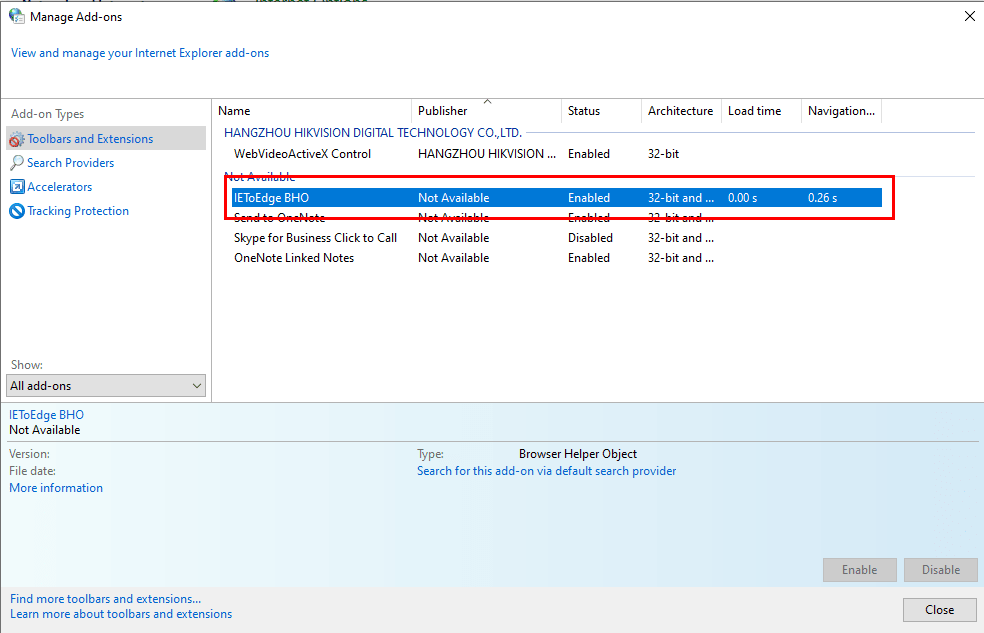


    You can try to modify the registry to disable IEtoEDGE BHO:

    Type Registry Editor in the search bar to open the Registry Editor and locate the following path:

    HKEY_LOCAL_MACHINE\SOFTWARE\Microsoft\Windows\CurrentVersion\Policies\Ext\CLSID

    Find the key value named "{1FD49718-1D00-4B19-AF5F-070AF6D5D54C}" on the right and set its value to 0.
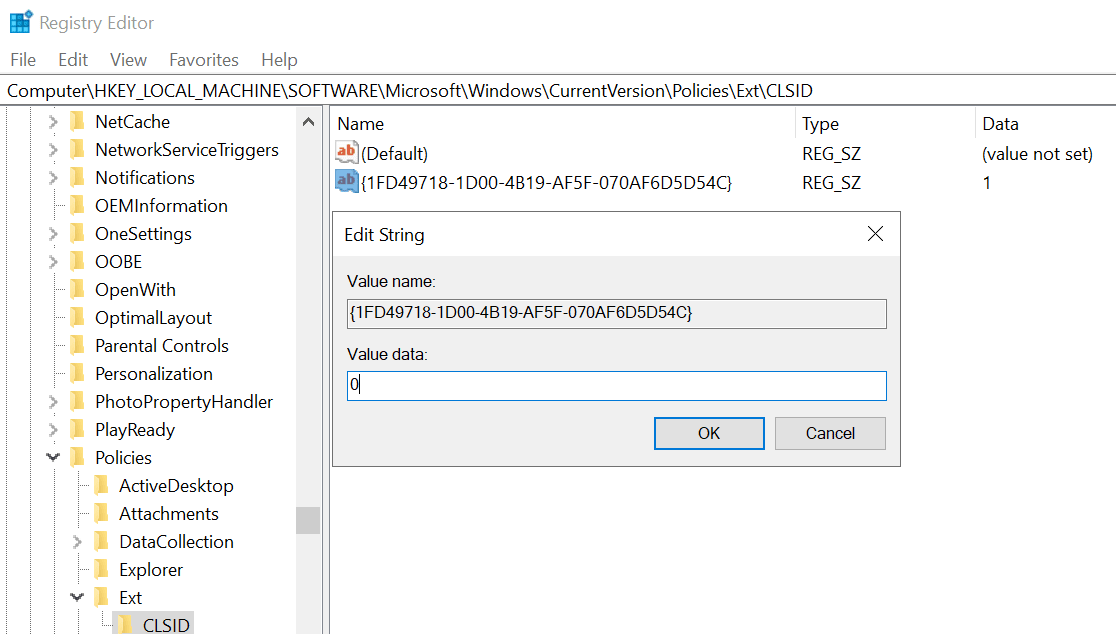
    Note If you modify the registry incorrectly, you can cause serious problems. Therefore, follow these steps carefully. For additional protection, back up the registry before you modify it.

    I hope the information above is helpful.

    in Windows
    Share this post
    Tags
    Our blogs
    • Windows Application
    • Android
    • Windows
    • Computer Peripherals
    • Our blog
    • Cricket News
    Archive
    Sign in to leave a comment
    Windows 10 : Disable Automatic Updates Permanently
    Follow us
    ​ ​ ​


      ****************
    Copyright © Androidhit.in
    Powered by Odoo - Create a free website